Generate Stunning Videos with Veo 3.1
Google DeepMind's flagship video generation model — reference-based generation, scene extension, first-to-last-frame control, native audio output.
Start creating with Veo 3.1 — Purchase credits, no subscription required
Your video will appear here
Enter a description or upload an image on the left, then click generate to start creating
Made with Veo 3.1
Veo 3.1: Our Improved Video Generation Model
Veo 3.1 and Veo 3.1 Fast bring significant upgrades to help developers create more engaging content. The models generate richer native audio — from natural conversations to synchronized sound effects — and offer greater narrative control through a deeper understanding of cinematic styles. Enhanced image-to-video capabilities ensure better prompt adherence while delivering superior audio and video quality with consistent characters across scenes.
Veo 3.1 Key Capabilities
Ingredients to Video
You can now guide the generation process by providing up to 3 reference images of characters, objects, or scenes. This helps maintain character consistency across multiple shots, or apply a specific visual style to your video.

Scene Extension — Create Longer Videos
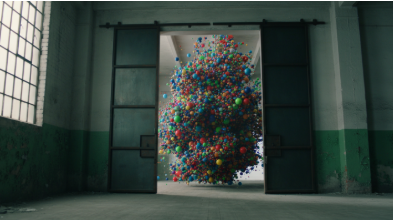
Your story is no longer limited by the original video length. With Scene Extension, you can create longer videos — even a minute or more — by generating new clips that seamlessly connect to your previous video. Each new clip is generated based on the final second of the previous clip, maintaining visual continuity. This makes it ideal for extending shots with background music.
First to Last Frame Control
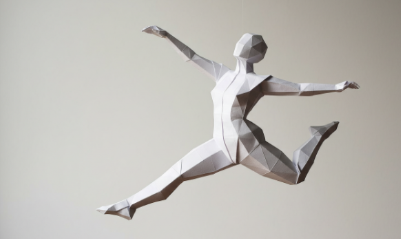
Create smooth, natural scenes that bridge two different images. By providing a starting and an ending image, you can direct Veo 3.1 to generate the transition between them, complete with accompanying audio.
 First frame
 Last frame
How to Use Veo 3.1
Veo 3.1 vs Sora 2
| Feature | Veo 3.1 | Sora 2 |
|---|---|---|
| Max Duration | 8s | 15s |
| Ingredients to Video | ✅ Up to 3 images | — |
| Scene Extension | ✅ Supported | — |
| First & Last Frame | ✅ Supported | — |
| Native Audio | ✅ Yes | — |
| Physical Realism | ⚡ Good | ✅ Excellent |
| Credits per Gen | 10 credits | 3 credits |
Both models are available on AiVidMaker. No account switching required.
Who is Veo 3.1 For?
From brand content teams to solo creators, Veo 3.1's reference generation and scene extension make professional video accessible to everyone
Brand & Product Video Teams
Veo 3.1's Ingredients to Video feature lets you upload up to 3 reference images — product shots, brand characters, scene props — to maintain visual consistency across every generated clip. Produce cohesive campaign videos with consistent characters and aesthetics without reshoots or expensive post-production.
Filmmakers & Cinematographers
Veo 3.1 is Google DeepMind's most cinematically refined model. It excels at realistic lighting, atmospheric depth, and physically accurate camera movement. Use it to previsualize complex shots, generate reference footage for directors, or create cinematic B-roll that would otherwise require expensive equipment and location shoots.
Social Media & Ad Creators
Generate native-audio video ads in 16:9 or 9:16 format for any platform. Veo 3.1 produces dialogue, ambient sound, and music in a single pass — no dubbing required. The Scene Extension feature lets you build longer ad sequences by chaining clips with seamless visual continuity and consistent background audio.
Content Localization Teams
Veo 3.1 understands complex English prompts and generates native-audio output that can be localized across markets. Use First to Last Frame control to maintain identical opening and closing frames across multiple language versions, ensuring brand consistency while varying the dialogue and narration.
Educators & E-learning Producers
Create visually engaging educational content without filming. Describe your concept with text, optionally upload reference images of diagrams or characters, and Veo 3.1 generates illustrated explainer clips with matching audio narration. The 8-second format works perfectly for microlearning modules and course chapter intros.
E-commerce Sellers
Bring product listings to life with Veo 3.1's Image-to-Video capability. Upload a product photo and describe the intended motion — a bag opening, a shoe rotating, a cosmetic being applied — and Veo 3.1 generates a polished product video with native audio for your storefront, social ads, and marketplace listings.
Frequently Asked Questions
What is Veo 3.1?+
Is Veo 3.1 free?+
What is the Veo 3.1 length limit?+
What is the difference between Veo 3.1 Fast vs Quality mode?+
What is Ingredients to Video?+
What is Scene Extension?+
Veo 3.1 vs Sora 2 — which is better?+
What is Veo 3.1 pricing?+
Start Creating with Veo 3.1 Today
Purchase credits and pay per generation. No subscription required.
Try Veo 3.1