How to Make a FNAF OC: 5-Step Guide for 2026
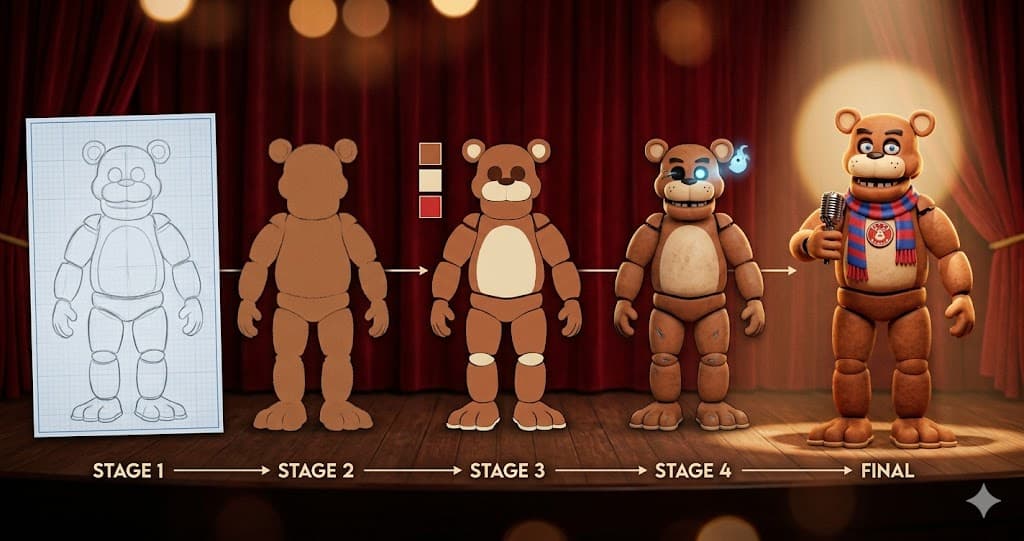
TL;DR: Want to know how to make a FNAF OC? Five steps: 1) Pick Animatronic or Human Mode, 2) Choose Species + Era (skip Fox / Wolf — overused), 3) Set 2-3 Color Palette + Damage Level, 4) Build Role + Backstory hooks (possessed spirit, programming glitch, salvaged wreck), 5) Generate via AI or sketch by hand. This guide walks all 5 steps mapped to the actual FNAF OC Maker UI fields — 12 species, 8 eras, 5 damage levels, 7 backstory hooks — plus the common mistakes that kill a FNAF OC on first sight.
So you've finished Security Breach, watched the FNAF movie, or fell down the r/fivenightsatfreddys rabbit hole, and now you want to design your own original animatronic. Searches for how to make a FNAF OC mostly return Reddit threads from 2018, DeviantArt guides last updated in 2016, a couple Wattpad tutorials, and Google's AI Overview that summarizes 4 generic steps. None of them walk you through using an actual AI FNAF OC Maker with 12 species dropdowns, 8 era options, damage sliders, and Backstory hooks that visualize into the image.
This 2026 guide does. We map every step to a real UI field in the free FNAF OC Maker, borrow the AI Overview's 4-step framework, add the Human OC Mode the AIO misses, and finish with the 5 mistakes that make 90% of r/fivenightsatfreddys weekly critique posts say "recolored Freddy, no thanks."
Quick 5-Step Overview
| Step | What | UI Field | Why |
|---|---|---|---|
| 1 | Pick Mode | Tab: 🤖 Animatronic / 👤 Human | Animatronic for mascot OC, Human for Night Guard / employee OC |
| 2 | Species + Era | Species dropdown (12) + Era dropdown (8) | Anchors 80% of visual identity. Avoid Fox / Wolf |
| 3 | Color + Damage | Primary Color (12) + Damage Level (5) | 2-3 color palette discipline + wear tells a story |
| 4 | Role + Backstory | Role (8) + Backstory (7) | Backstory = visual cue (possessed spirit → glowing eye sockets) |
| 5 | Generate or Draw | Generate button (4 credits) | AI in 5 sec, or sketch by hand in 1-2 hours |
Step 1 — Pick Animatronic or Human Mode
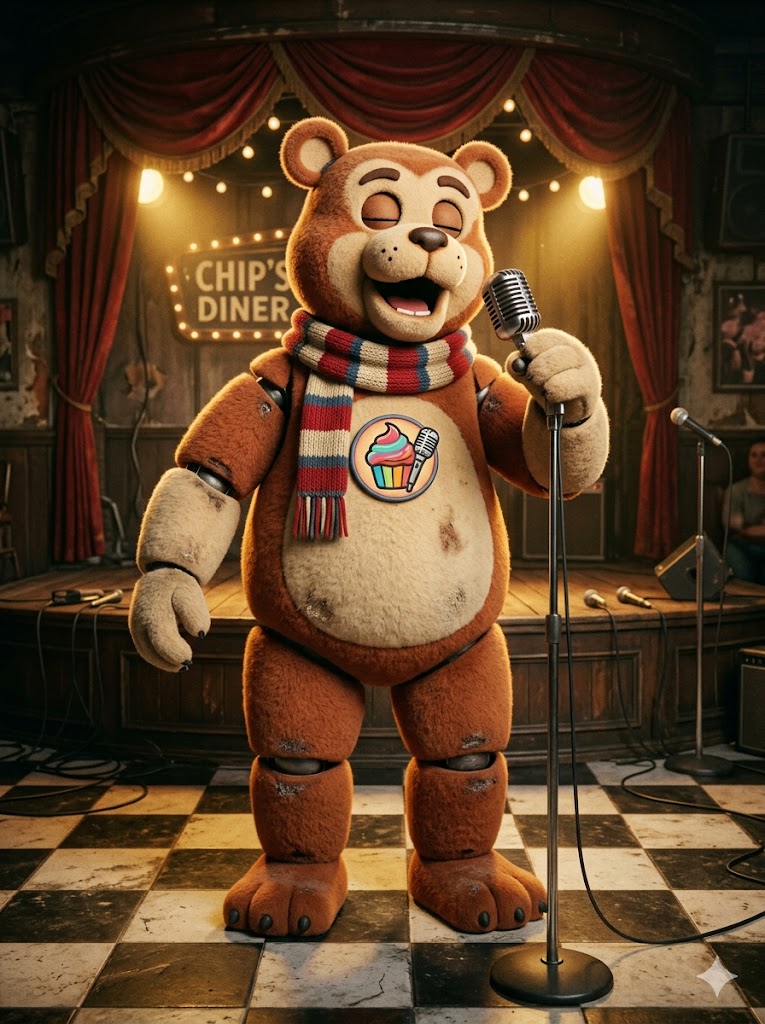
The first decision is whether your OC is a mascot animatronic (the classic FNAF visual) or a human character inside the Fazbear universe (Night Guard, pizzeria manager, maintenance tech). Most fan-made OCs are Animatronics — that's the iconic FNAF visual. But the fnaf oc human and fnaf security guard oc searches together pull more than 300 monthly visits, mostly Wattpad fanfic writers and Discord roleplay creators who need a character reference for their human protagonist.
The free FNAF OC Maker splits this with a top tab: 🤖 Animatronic OC (8 fields) or 👤 Human OC (6 fields). Pick Animatronic if you want a Bear with a microphone or a Withered Bunny haunting Backstage. Pick Human if you're writing a 1987 Pizzeria Night Guard who survives Week 1 and goes back for the paycheck.
Both modes output a full-body 3:4 portrait — that's the most-searched format (fnaf oc maker full body). The Animatronic Mode has more design space (species + era + damage = combinatorial variety), while Human Mode has 6 game settings spanning 1983 Diner to 2022 Mega-Pizzaplex.
Step 2 — Choose Species + Era (Avoid Fox & Wolf)
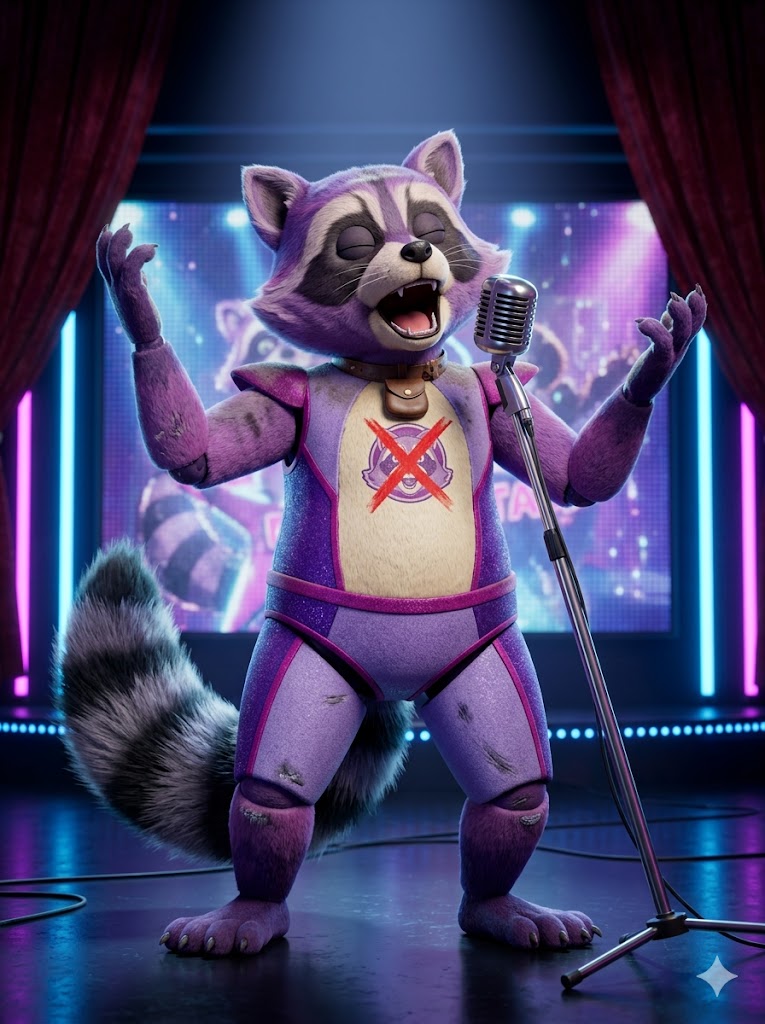
This is the most important step and the one most beginners blow. The AI Overview ranking for how to make a fnaf oc calls it out explicitly: "Species: Avoid overused choices like foxes and wolves. Instead, look at bears, rabbits, domestic birds, reptiles, or unique concepts like a raccoon, alligator, or otter."
Why? Because every other FNAF OC on DeviantArt is a "Fox like Foxy but red" or "Wolf like Roxanne but green." Pick something the community hasn't already drawn 10,000 times: Bat, Raccoon, Alligator, Otter, Reptile, Deer, exotic Bird. The FNAF OC Maker ships all 12 species in the dropdown — including the AIO-recommended fresh picks.
Era controls the era-specific visual cues that make your OC read instantly as belonging in the FNAF universe. Pick one of 8:
- Classic — weathered 80s diner mascot, muted palette
- Toy — shiny 1987 Pizzeria polish, rosy cheek circles
- Withered — broken plastic shell, exposed wires (FNAF 2 look)
- Funtime — segmented chrome panels (Sister Location)
- Nightmare — oversized claws, FNAF 4 child-bedroom-horror
- Glamrock — neon LED, 2022 Mega-Pizzaplex rockstar
- Glitchtrap — pixelated VR-glitch corruption
- Daycare — pastel mascot, jester collar (Moon/Sun energy)
The Species + Era combo gives you a baseline silhouette before you touch anything else. A Glamrock Raccoon reads completely different from a Withered Raccoon — same species, different era, different OC. This combo is also how you cover specific searches like fnaf glamrock oc, fnaf security breach oc, or fnaf daycare attendant oc — each era directly maps to a high-volume search.
Step 3 — Set Color Palette + Damage Level
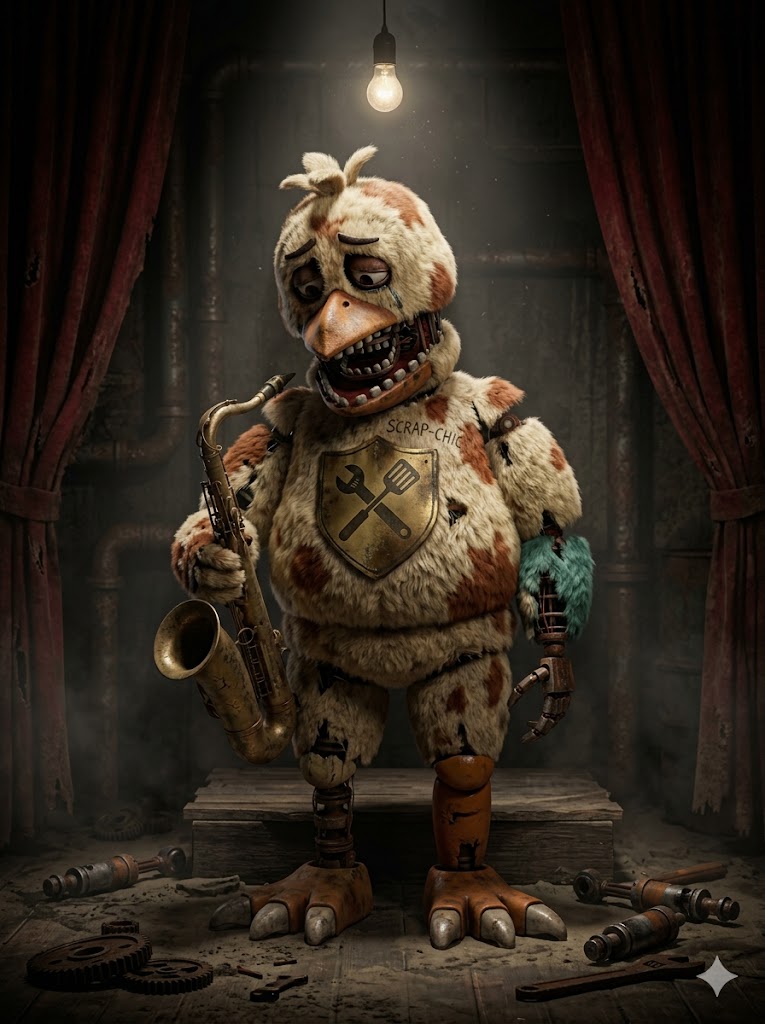
The AI Overview's design rule (Step 2 of their framework) says: "Stick to a simple, two-to-three-color palette. Avoid neon colors or rainbows. The colors should look like something Fazbear Entertainment would legitimately paint onto an 80s mascot."
Translation: pick one Primary Color from the dropdown and let the AI keep accents to 1-2 supporting tones. The 12-color palette in the FNAF OC Maker is intentionally curated to skip the neon traps — Brown, Red, Blue, Yellow, White, Black, Gold, Purple, Green, Pink, Grey, Orange. Pair Brown with Toy-era for shiny vintage Freddy-but-not-Freddy. Pair Purple with Glamrock for Mega-Pizzaplex showman. Pair Grey with Withered for the abandoned-warehouse look.
Damage Level is the second silent storyteller. The 5 options encode different narrative phases:
- Pristine — flawless, freshly polished suit
- Minor Wear — light scuff marks on knees, slight fading
- Heavy Wear — visible scratches, cracked shoulders
- Withered Damaged — exposed endoskeleton wires through ripped fabric
- Severely Broken — major missing limb, gaping torso hole
A Pristine Classic Bear reads as "newly built, on stage tonight." A Severely Broken Nightmare Bear reads as "FNAF 4 horror, decades abandoned." Same species, completely different OC. Combine Era + Damage and you've got 40 distinct silhouettes before you even touch the other fields. That's how to make a FNAF OC that doesn't look like everyone else's.
Step 4 — Build Role + Backstory (Visual Cues)
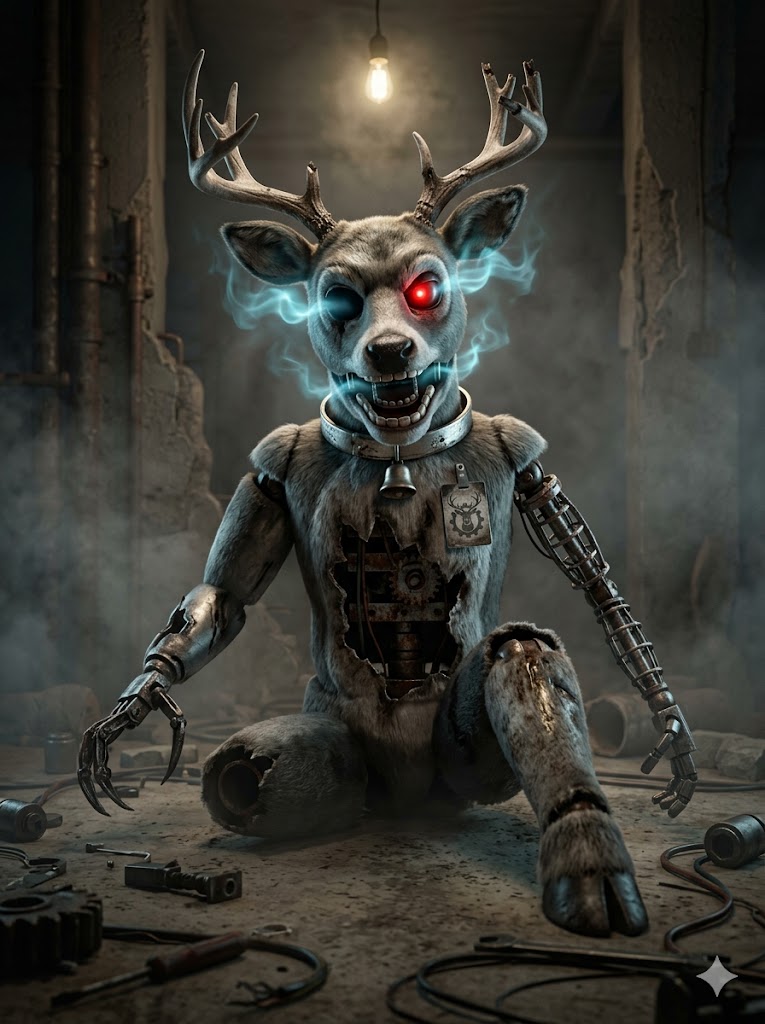
This is the step the AI Overview gives the most weight to: "The best FNAF characters have a dark secret or tragedy connected to Fazbear Entertainment. Who possessed them, or what went wrong with their programming?"
Role anchors the character's daily life in the restaurant. The FNAF OC Maker ships 8 roles based on the AIO-suggested list plus FNAF universe staples: Lead Singer (microphone in hand), Arcade Attendant (surrounded by retro cabinets), Pizza Server, Prize Counter Manager, Security Mascot (after-hours patrol), Daycare Caretaker, Backstage Tech, Background Performer. The Role drives what your OC is holding and where they stand in the generated image.
Backstory is where most OCs collapse from forgettable to canonical. The Backstory dropdown ships 7 visual hooks — every one converts to a specific visual detail in the generated image:
- Possessed by a Spirit → glowing ethereal blue light leaking from eye sockets
- Programming Glitch → jittering motion blur, flickering LED status lights
- Discontinued Model → faded crossed-out mascot logo, dust layer, slumped posture
- Workshop Experiment → mismatched salvaged limbs, asymmetric extra arms
- Forgotten Prototype → unfinished paint patches, exposed wireframe
- Salvaged Wreck → mismatched limb colors, visible weld seams, patched fabric
- Rogue AI Awakened → glowing red status LEDs, cold calculating expression
This is how you make a good FNAF OC that reads as canonical instead of generic recolor. Without the Backstory hook your OC is a paint job. With it, the silhouette has weight, motivation, and silence-killing stage presence.
Step 5 — Generate with AI or Draw Yourself
You can finish this two ways: AI (5 seconds, free credits) or sketch by hand (1-2 hours, full control).
For the AI path, the free FNAF OC Maker takes the field combination from Steps 1-4 and converts every dropdown into a structured Gemini Nano Banana prompt with anti-canonical guards built in (no plain-brown-bear-with-top-hat-and-bowtie combo, no solid-yellow-chicken-with-cupcake combo, etc.). One click, 4 credits, full-body 3:4 portrait in your inbox-equivalent. If you don't like the first roll, hit the 🎲 Randomize button and try again — it rolls every field at once, often producing combinations you wouldn't have manually picked.
For the hand-drawn path, the same 5-step framework still works as your design brief. Sketch in ibisPaint, Photoshop, or Clip Studio Paint (the three the AI Overview names). Use the field values as your character sheet template:
Name:         _________________
Species:      Bear / Bunny / Chicken / Fox / Bat / Wolf / ...
Era:          Classic / Toy / Withered / Funtime / ...
Damage:       Pristine / Minor / Heavy / Withered / Broken
Color:        _________ (2-3 colors max)
Role:         Lead Singer / Arcade / Pizza Server / ...
Backstory:    Possessed / Glitch / Discontinued / ...
Filling this template by hand takes 5 minutes and gives you a complete design brief before you even open your tablet.
Sign up free with Google to get starter credits. Pick from 12 species, 8 eras, 5 damage levels, 7 backstory hooks. Hit Generate — full-body 3:4 in 5 seconds. 4 credits per OC. Randomize button if you want AI to roll all 8 fields at once.
Free credits on signup · Google login · Animatronic + Human modes · 12 species supported · 8 eras
Common Mistakes That Kill Your FNAF OC
Five mistakes that make a FNAF OC read as generic instead of community-grade:
1. Recoloring a canonical animatronic and calling it an OC. Painting Springtrap red and calling them "Bloodtrap" is the most-mocked move on r/fivenightsatfreddys. The community spots recolors in one second. Pick a fresh species silhouette (raccoon, alligator, otter) before you pick any color.
2. Using only one color. A single solid color reads as a child's first OC. Canon characters all use 2-3 colors — Freddy is brown + cream + black accent, Glamrock Chica is white + magenta + cyan. Force yourself to two-tone the body before adding accents.
3. Romantically tying your OC to a canon character. The AI Overview literally warns about this: "Avoid making them overly powerful, or randomly romantically tied to the main villains." Don't make them William Afton's secret love interest. Don't make them Bonnie's twin. Tie them to the universe through employment (worked at the diner, was a tech, was a guard) or possession (haunting a salvaged suit) — not relationships.
4. Verbose AI prompts. The free FNAF OC Maker handles the verbose part for you via dropdowns. Don't write paragraphs into the Additional Details field — 1-2 short visual cues max ("glowing red eye, vintage stage curtain backdrop"). Verbose paragraphs confuse the model and dilute the field signals.
5. Skipping the Backstory field. Without a backstory hook the AI generates a generic mascot with no visual storytelling. With one, the silhouette gets glowing eye sockets, weld seams, or dust layers — instant character. Backstory = visual cue, not character bio.
These are the same mistakes called out across 8+ years of r/fivenightsatfreddys critique threads and the StarEmber DeviantArt guide. Avoid them and your OC reads as polished fan work instead of "recolor #8472."
The Bottom Line
A good FNAF OC follows 5 steps: Pick Animatronic or Human Mode → Choose Species + Era (skip Fox/Wolf) → Set Color Palette + Damage Level → Build Role + Backstory hooks → Generate via AI or sketch by hand. Each step maps to a real dropdown in the free FNAF OC Maker, and the same framework works whether you finish in 5 seconds with AI or 2 hours in Clip Studio.
If you're searching fnaf oc tutorial, create your own fnaf oc step by step, how to make a good fnaf oc, or a complete fnaf oc guide with fnaf oc design tutorial, the 5 steps above are the canonical playbook used by experienced FNAF OC designers. For more concept inspiration check FNAF OC Ideas: 50+ Animatronic Concepts (coming soon), or FNAF OC Base & Templates (coming soon) if you want to start from a starter species/era configuration. Cross-fandom OC creators may also like Hazbin Hotel OC Maker for demon designs, Sonic OC Maker for Mobian-style mascots, or Dandy's World OC Maker for Toon-style characters. Track everything in My Creations.
This is an unofficial fan tool. Five Nights at Freddy's is created by Scott Cawthon and published by ScottGames. Not affiliated with Scott Cawthon, ScottGames, Steel Wool Studios, Illumix, or the FNAF community. Generated content is for personal, non-commercial fan use only. All canonical characters (Freddy Fazbear, Bonnie, Chica, Foxy, Springtrap, Glamrock Freddy, Roxanne Wolf, Montgomery Gator, Sun, Moon, Vanessa, Vanny, William Afton, Mike Schmidt, Gregory) belong to their respective rights holders.